Placing a Reauthorization on Hold
Reauthorizations from prescribers are often faxed back before they are required by the patient. These should be put on hold.
To place a reauthorization on hold:
- Search for and select the correct patient.
- Select the Profile tab.
- Select the prescription that needs to be reauthorized.
- Select Refill. The Ready Time window appears.
- Enter the appropriate Ready Time.
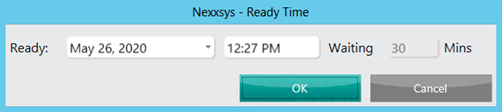
- Select OK. The Rx Detail window appears.
- Enter the following information:
- Prescriber - if the prescriber has changed since the previous fill. For more information, see Doctor Change.
- QA - quantity authorized by the prescriber.
- Qty - quantity that will be dispensed.
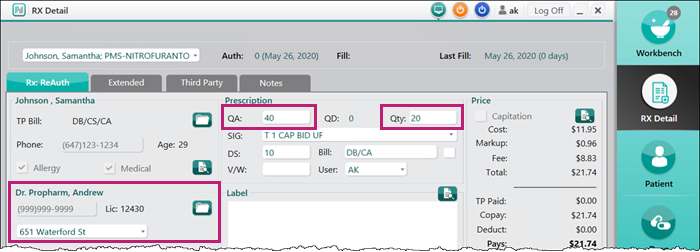
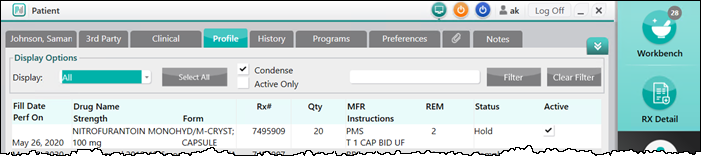
- Select Hold. The prescription is added to the patient's Profile tab with a status of Hold.
Auto Refill
If the patient is enrolled in the Auto Refill program, an additional Auto Refill - Hold window opens to confirm when to add the prescription to the To Do tab, if required.
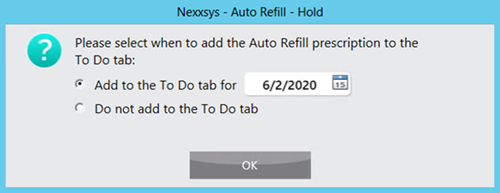
Select one of the following options:
- Add to the To Tab tab for - enter a specific date that the prescription should be added to the To Do tab.
- Do not add to the To Do tab - the prescription will not be added to the To Do tab.